
Free online face swap photo editors ranked by free-tier generosity
If you want a face swap right now without paying, the shortest answer is Facy.ai: unlimited swaps, no account, no watermark on the file you download. The next two seats belong to MyShell AI (no signup, 50+ built-in target faces) and Higgsfield AI (5 swaps a day, resetting 24 hours after the first one). After that the tradeoffs get real: signup for credits, daily caps that aren't published, or watermarks that only appear after the swap finishes.
Every entry below is ranked the same way: how much you actually get for free, with watermark status and signup as tiebreakers. Free tiers shift often, so verify the tool's own page before uploading anything sensitive.
How we ranked these free face swap tools
The primary axis is free-tier generosity, in this order: unlimited use, daily quota, credit-based, then unstated. Watermark status and signup requirement break ties. Privacy and data-deletion policy come next, followed by output format breadth. Processing speed and template libraries are tertiary; they shape the experience but rarely the verdict.
Free tiers change quickly. Quotas tighten, watermarks reappear, and signup gates appear without notice. Treat any number you read here as accurate at publication and confirm it on the tool's own page before the swap.
Free-tier comparison at a glance
| Tool | Free quota | Watermark | Signup |
|---|---|---|---|
| Facy.ai | Unlimited | None | Not required |
| MyShell AI | Not stated | None reported | Not required |
| Higgsfield AI | 5/day, 24h reset | None on free tier | Required |
| EaseMate AI | 30 credits after login | None | Required |
| PhotoCat | Free credits, 1 per swap | Not stated | Required for credits |
| Vidnoz | Daily limit (unstated) | None on free tier | Required for HD unlock |
| Pixlr | Not stated | Not stated | Varies |
| Face Swapper AI | Free version available | Yes | Varies |
| Nero AI | Free, no quota stated | Not stated | Not required |
| Facewow | Free, no quota stated | None claimed | Not stated |
| MyEdit by CyberLink | Limited free features | Not stated | Varies |
| Fotor | Free online use | Varies | Varies |
Three tools tell you their free quota in plain numbers (Facy.ai, Higgsfield, EaseMate). The rest leave it implied or buried, which is exactly the pattern the no watermark photo editor searches keep flagging. When a quota isn't stated, plan for one swap as the safe assumption.
Facy.ai – Best for truly unlimited free swaps with no signup
Facy.ai is the only tool in this list that promises unlimited image face swaps at no cost, with no account and no watermark on the downloaded file. It accepts JPG, JPEG, PNG, WEBP, BMP, and GIF, and uploaded images are auto-deleted after 48 hours per the page's own policy.
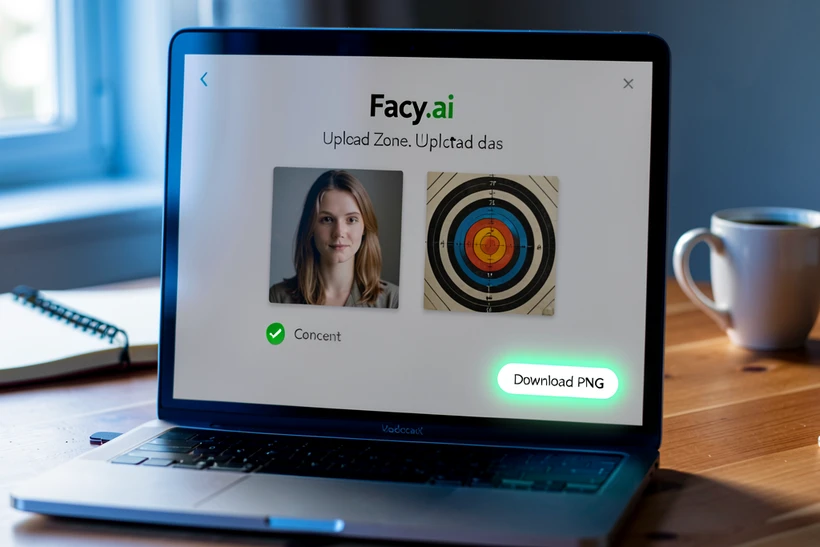
Trust signals are unusually explicit. The site shows a 4.6/5 rating from 3,537 ratings and forces a consent checkbox at upload, with a legal warning that violations may result in an obligation to pay damages, a fine, removal of the effects of the infringement, or a sentence of restriction of liberty or imprisonment. That is not boilerplate. It is the most direct legal language any free face swap page surfaces.
Best results require front-facing, well-lit photos. Side profiles still process, but the blending lands flat. Video face swap is a separate feature, not part of the photo flow.
MyShell AI – Best for no-signup swaps with 50+ built-in sample faces
MyShell removes the most annoying step in a face swap: finding a second photo. The tool ships with 50+ free sample target faces, so you can pair your photo against a built-in reference and skip the upload-twice ritual. Rated 4.7/5 from 1,287 reviews, with no hidden fees stated on the page.
- Photos are processed in-browser and deleted after use, per the site's privacy claim.
- No daily quota is published, so one or two swaps in a session is the safe expectation.
- Signup is not implied for the basic flow; verify before deeper use.
Higgsfield AI – Best daily-refresh free tier with cross-style swapping
Higgsfield publishes its free tier honestly: 5 face swap generations per day, resetting 24 hours after your first swap. That last detail matters. The clock does not start at midnight. If your first swap is at 9 a.m., the next free batch refreshes at 9 a.m. tomorrow, so a five-swap session at midday burns the day.
Processing runs from 30 seconds up to 2 minutes depending on subscription tier. The free tier sits at the slower end, but the result quality holds across an unusual range of inputs. Higgsfield handles cross-style swapping across photos, paintings, and 3D models, and includes an Easy Export for Animation feature that turns the still result into a short video clip.
Two limits worth knowing. It does not support swapping multiple faces in a single operation, so a group photo means multiple runs against your daily five. And commercial use rights are reserved for paid Pro plans only. The page also states a strict policy against any form of non-consensual use.
Plan a Higgsfield session like a credit budget. One face per run, five runs a day, and the timer starts the moment you click Generate.
EaseMate AI – Best for GPT-4o-powered precision with no watermark
EaseMate is the only tool here that names its underlying model: GPT-4o, used for face merging precision. After login you receive 30 free credits with no fees, no subscription, and no watermark on the output. Files are deleted from the server after processing per the page's stated policy.
- File size limit is 10 MB per image; accepted formats are JPG, JPEG, PNG, and WEBP.
- Signup unlocks the 30 credits; the tool itself can be opened without an account, but credits sit behind login.
- Credit replenishment policy is not published; verify before counting on a recurring quota.
PhotoCat – Best for multi-face group photo swaps on a free credit system
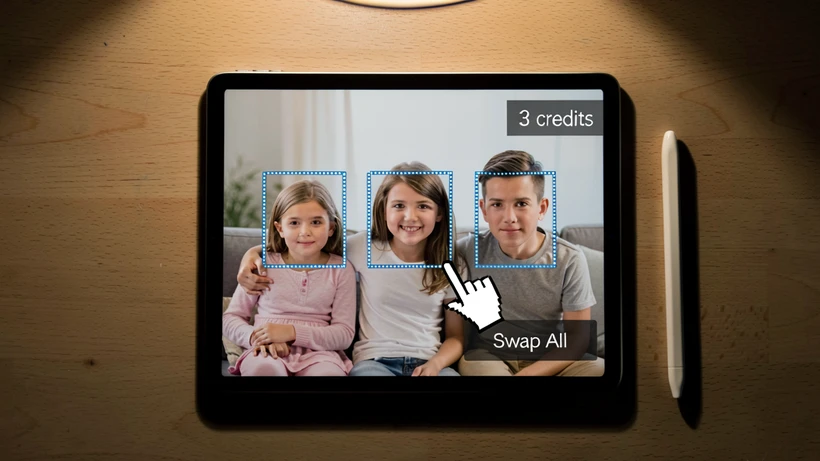
PhotoCat is the practical pick when one photo has more than one face. It supports multi-face swapping in group photos, charges 1 credit per swap, and gives a free credit allotment to start with. Built-in templates speed up routine swaps, and two niche use cases sit alongside the standard flow: virtual outfit try-on and passport or ID photo creation.
Three faces in a family photo means three credits, not one. That arithmetic eats a small free pool quickly. Confirm the current free credit number before queueing a large group shot.
Vidnoz – Best free option for photo swaps with the widest format support
Vidnoz takes the format crown for photos. JPG, PNG, WEBP, and GIF are all in for stills, and the tool also handles video formats (MP4, M4V, MOV, WEBM) up to 100 MB if you ever cross over. Output reaches 1080P HD with no quality damage; anything above 1080P sits behind a paid unlock.
Multi-face swapping works in a single input, including batch face swap. The catch is the daily free usage limit, which the page mentions but does not quantify. The privacy policy is more concrete: user uploads and generated content stay confidential and are not accessible to third parties without consent.
Pixlr AI Face Swap – Best for template-driven creative swaps
Pixlr leans into themes. Template categories cover Adventure, Gym Buff, Sports, Fantasy, Beach Party, and Super Heroes, and the output lands as PNG. If you want your face on a comic-book cover or a beach scene without finding a target image yourself, this is the route.
There is no explicit free quota stated on the page, which is the main weak spot. Privacy is plainer: creative output belongs to the user. Use the templates, but expect a paywall to surface if you go heavy in one session.
Facewow – Best all-in-one free portrait suite beyond face swap
Facewow bundles face swap into a wider portrait toolkit: face shape detector, unblur portrait, AI filter, AI headshot generator, and AI image generator, all stated as free with high-resolution output without watermarks. The fit is for users who want one tab open for several portrait fixes, not just a single swap.
Specific face swap limits or quota details are not published, so plan to run a test swap first and gauge the boundaries from there.
MyEdit by CyberLink – Best for large file sizes and blemish removal add-ons
MyEdit's headline number is the file size cap: 50 MB per upload, supporting JPG, PNG, GIF, WebP, and BMP. That is enough headroom for a high-resolution camera JPEG without a downscale step. CyberLink's editorial team ranked it #1 internally as of January 16, 2026, which carries the usual caveat of self-published rankings.
Beyond the swap, the tool ships blemish removal and artistic effects, useful when the swapped face needs cleanup that a single-feature tool cannot do without a tab switch. Free features are limited and a stable internet connection is required; verify the current free tier scope before a long session.
Nero AI – Best for one-click simplicity with no friction
Nero AI is the lowest-friction option in the list. Drag, drop, done. The interface offers a one-click free online face swap with no stated quota and no advanced editing tools to wade through. If you want a single swap with zero learning curve and you accept the lack of fine controls, this is the path of least resistance.
Privacy and safety: what happens to your photos
Privacy claims vary in shape and specificity. Facy.ai auto-deletes images after 48 hours and shows the consent checkbox before upload. MyShell processes photos in the browser and deletes them after use. EaseMate deletes uploaded files from its server after processing. Vidnoz states uploads are not shared with third parties and provides full data control via settings. Higgsfield references industry-standard security plus its strict anti-non-consensual policy. Pixlr says creative output belongs to the user.
Read the privacy policy before uploading photos of other people. Using someone else's likeness without consent can carry both civil and criminal penalties depending on jurisdiction, and Facy.ai's own warning about possible imprisonment is the clearest reminder you will see on a tool page.
Tips for getting the best results from any free face swap tool
- Use front-facing, well-lit photos. Even-light selfies blend cleanly; backlit or shadowed faces produce uneven skin tone matching.
- Match face angles between source and target where possible. A 3/4 source onto a frontal target is the most common cause of distortion.
- Higher source resolution produces better blending; downscaled phone screenshots leave visible edges around the face boundary.
- If a result looks distorted, swap the source for a clearer photo before blaming the tool. Most failures are input quality, not model quality.
- For group photos, ensure every face is visible and unobstructed by hair, sunglasses, or hands.
- Match the file size cap to your source: EaseMate stops at 10 MB per image, while MyEdit allows up to 50 MB.
One quick failure mode worth naming. A side-profile photo run through any tool that expects a frontal face usually returns a flattened, mask-like result. The fix is to re-shoot or pick a frontal source, not to retry the same photo with a different tool.
anyone actually verified that 48h auto-delete on facy or are we just trusting the page copy?
trusting the page copy lol. that's exactly the problem. used face swapper ai for a client last year, "deleted after use" my ass, ran into the same gen of my source photo in their public template gallery a month later. tbh never again.
for what it's worth, 48h is just storage retention. nothing in the policy says the embeddings or hashes get purged. those are 2 different things and most of these tools conflate them on purpose.
+1