/usr/bin/facegenius — terminal
[ AI face swap · no editing skills needed ] uptime: 99.99% jobs: active build: 1985.12

> Put Any Face into Any Video in Seconds_

Upload a video clip, drop in a reference photo, and FaceGenius replaces the face frame by frame — matching skin tone, head angle, and natural motion so the result looks like the person was always there.

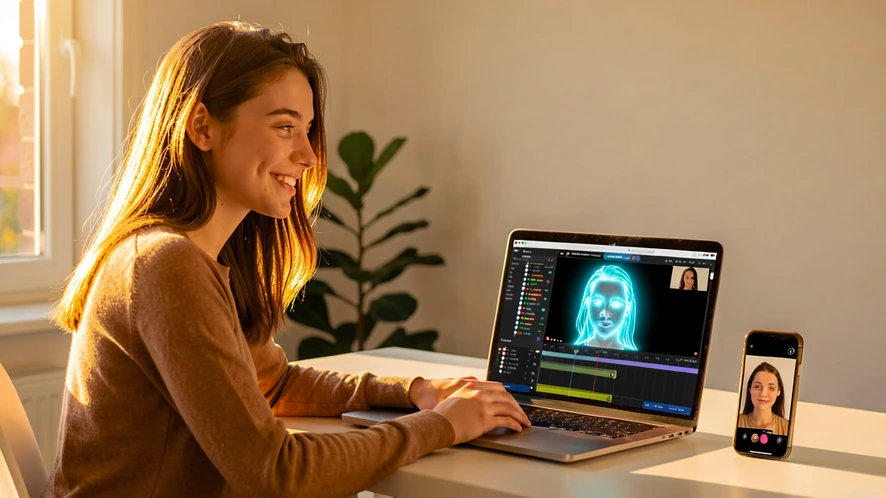
A young woman sitting at a bright desk, smiling at a laptop screen displaying a video timeline with a glowing face-match overlay. The room is a modern home office with warm afternoon light streaming through a window to the left, casting soft golden highlights across her face and the keyboard. A small phone beside the laptop shows a before-and-after video frame. Style: photorealistic editorial. Mood: confident and effortless.
[ tool ]

Choose a Scene to Replace the Face In

Pick a target scenario below, then upload your photo to see the AI swap the face across every frame of the clip.

[ pick target ] // click a card to load
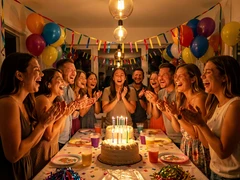
A cheerful group of friends gathered around a cake-covered table at an indoor birthday party, laughing and clapping as candles are blown out. Colorful balloons and streamers fill the background. Warm overhead party lights mix with soft candlelight, casting a festive amber glow across smiling faces. Style: candid snapshot, photorealistic. Mood: joyful and celebratory.
#01 Birthday party clip
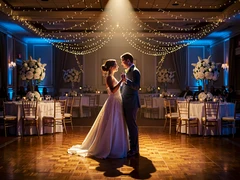
A couple sharing their first dance on a polished ballroom floor, surrounded by round tables with white floral centerpieces and soft fairy lights draped from the ceiling. The bride's gown catches the warm spotlight from above while the groom's suit reflects subtle blue ambient light from the sides. Style: elegant wedding photography, photorealistic. Mood: romantic and timeless.
#02 Wedding dance scene
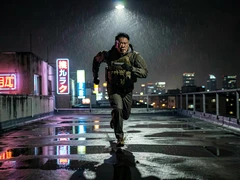
A lone figure in a tactical jacket sprinting across a rain-slicked rooftop at night, city lights blurring in the background. Neon signs reflect in puddles underfoot while a single harsh overhead streetlamp casts dramatic shadows across the runner's determined face. Style: cinematic action still, photorealistic. Mood: tense and high-stakes.
#03 Action movie hero
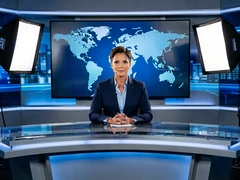
A professional news anchor seated behind a sleek broadcast desk, facing the camera with a composed expression. A large digital screen behind displays a world map graphic. Cool studio lighting from two softboxes flanking the camera illuminates the anchor's face evenly, eliminating shadows. Style: broadcast television, photorealistic. Mood: authoritative and polished.
#04 News anchor desk
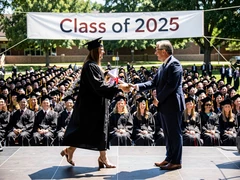
A graduate in a black cap and gown walking across an outdoor stage to accept a diploma, shaking hands with a university official. Rows of seated graduates fill the background under a bright midday sun, with a banner reading 'Class of 2025' stretched across the stage backdrop. Style: documentary photography, photorealistic. Mood: proud and milestone-marking.
#05 Graduation ceremony
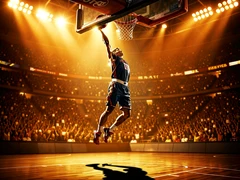
A basketball player mid-air above the rim, arm extended for a powerful dunk inside a packed indoor arena. Stadium floodlights blaze from above, creating sharp highlights on the player's jersey and a dramatic shadow on the court below. Crowd blur fills the background in warm orange and gold tones. Style: sports photography, photorealistic. Mood: electric and triumphant.
#06 Sports highlight reel
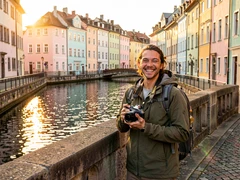
A solo traveler standing on a stone bridge over a canal in a European city, holding a camera and grinning at the lens. Pastel-colored buildings line the waterway behind them, and golden-hour sunlight skims across the water's surface, casting long warm reflections. Style: lifestyle travel photography, photorealistic. Mood: adventurous and carefree.
#07 Travel vlog scene
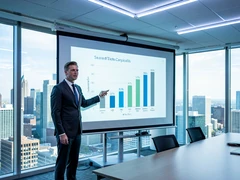
A business professional standing beside a large projection screen in a modern conference room, gesturing toward a bar chart slide. Floor-to-ceiling windows behind reveal a city skyline in daylight. Cool overhead LED panels provide even, shadow-free illumination across the speaker's face and suit. Style: corporate editorial photography, photorealistic. Mood: confident and professional.
#08 Corporate presentation
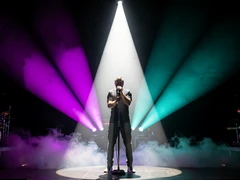
A singer gripping a microphone stand at center stage, bathed in a cone of white spotlight against a dark concert backdrop. Colored stage lights in purple and teal fan outward from behind, creating a dramatic halo effect. Smoke drifts low across the stage floor. Style: concert photography, photorealistic. Mood: dramatic and electrifying.
#09 Music video performer
[ use-cases ]

Who Uses AI Face Replacement in Video

From personal memories to professional productions, here are the real situations where this tool delivers.

  1. case_01

    Personalizing a gift video

    A family member wants to insert a relative's face into a funny or sentimental video clip as a personalized birthday or anniversary gift. The AI replaces the face cleanly so the final video feels made specifically for that person.

  2. case_02

    Social media content creation

    A content creator needs to place their own face into trending video formats or meme clips without filming new footage. Face replacement lets them publish timely content without a camera setup.

  3. case_03

    Film and video production stand-ins

    An indie filmmaker shot a scene with a stand-in actor and needs to replace the face with the lead's likeness in post. The AI handles the frame-by-frame substitution so the editor can focus on cuts and color.

  4. case_04

    Educational and training videos

    A corporate trainer wants to update an older instructional video by replacing the on-screen presenter with a current team member. This avoids a full reshoot while keeping the content accurate and on-brand.

  5. case_05

    Fan edits and creative projects

    A fan editor wants to place a friend's face into a scene from a favorite movie or TV clip as a fun creative project. The tool maps the face to match the original actor's head movements throughout the clip.

  6. case_06

    Privacy protection in shared footage

    A videographer needs to obscure the identity of a person who did not consent to appear in a published video. Replacing the face with a neutral substitute protects privacy without cutting the scene entirely.

[ library ]

Ready-to-Use Face Replacement Presets

tmpl-01
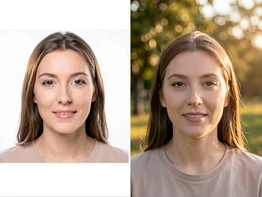
A split-screen preview showing a portrait photo on the left and a video frame on the right, both featuring the same face seamlessly matched. The left panel has a clean white background with soft studio lighting on the portrait. The right panel shows the face in a natural outdoor setting with warm daylight. Style: product UI mockup, photorealistic. Mood: clean and instructional.

Replace Face in Video with a Photo

Start with a single portrait photo and any video clip. This preset guides the AI to align the photo face with the subject in the footage, matching head tilt and skin tone across every frame.

tmpl-02
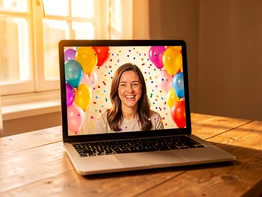
A cheerful video greeting card frame on a laptop screen showing a person's face composited into a festive scene with balloons and confetti. The laptop sits on a wooden table with soft warm light from a nearby window. Style: lifestyle product photography, photorealistic. Mood: warm and celebratory.

Add Face Photo to Video Greeting

Drop a friend or family member's photo into a pre-made celebration video clip. The preset handles motion tracking so the face stays locked to the subject through camera movement and head turns.

tmpl-03
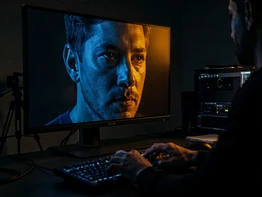
A moody cinematic video frame displayed on a large monitor in a dark editing suite, showing a close-up face lit by a single dramatic side light in deep blue and amber tones. The editor's hands rest on a keyboard in the foreground, slightly out of focus. Style: film post-production photography, photorealistic. Mood: atmospheric and professional.

Cinematic Face Replacement Clip

Designed for short film and fan-edit projects, this preset applies cinematic color grading and edge blending so the replaced face matches the dramatic lighting of the original scene.

tmpl-04
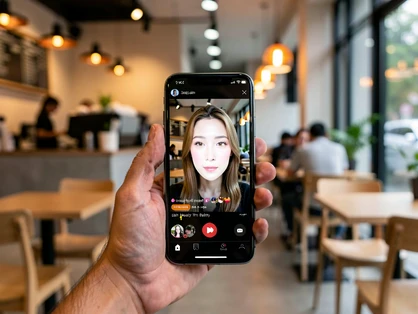
A smartphone held in one hand displaying a short video clip with a face-swapped result on screen, the background a blurred modern café with warm ambient lighting. The phone screen glows brightly against the soft-focus background. Style: mobile lifestyle photography, photorealistic. Mood: casual and contemporary.

Social Clip Face Swap Template

Optimized for short-form vertical and square video formats, this preset crops and scales the face replacement output to fit platform-ready aspect ratios for quick posting.

tmpl-05
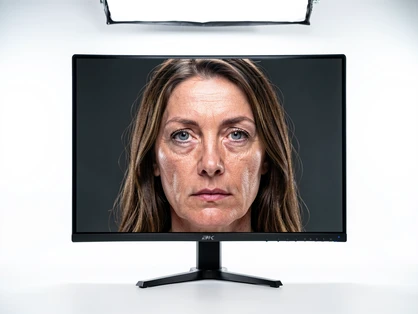
A large 4K monitor in a bright studio displaying a crisp video frame with a sharp, detailed face replacement result, every skin texture and hair strand rendered clearly. Overhead studio lighting illuminates the monitor evenly with no glare. Style: tech product photography, photorealistic. Mood: precise and high-fidelity.

High-Quality Video Face Replacement

For footage where output resolution matters, this preset prioritizes edge sharpness and texture detail so the replaced face holds up at full screen on HD and 4K displays.

[ faq ]

Common Questions About Face Replacement in Video

[Q01] How do I replace a face in a video using AI?
A01>

Upload your video clip to FaceGenius, then upload the reference photo containing the face you want to use. The AI detects the face in the video, maps the reference face onto it frame by frame, and exports the finished clip. No manual masking or keyframing is required.

[Q02] Can I replace a face in a video with just a picture?
A02>

Yes. A single clear photo is enough. The AI extracts facial geometry from the still image and projects it onto the moving subject in the video, adjusting for head rotation and expression changes throughout the clip.

[Q03] Is there a face replacement video app that works on iOS or Android?
A03>

FaceGenius runs in the browser, so it works on any device including iPhones and Android phones without a separate app download. Open the site, upload your files, and the processing happens in the cloud.

[Q04] How is AI face replacement different from doing it in After Effects?
A04>

After Effects requires manual rotoscoping, tracking, and compositing — a process that can take hours per clip. AI face replacement automates the tracking and blending in a single pass, making it practical for users without motion graphics experience.

[Q05] Will the replaced face look natural when the person moves their head?
A05>

The AI tracks head position, tilt, and rotation across every frame, so the replacement face moves with the subject rather than floating on top. Lighting and skin tone are also adjusted to match the original scene.

[Q06] What video formats and clip lengths are supported?
A06>

FaceGenius accepts common video formats including MP4 and MOV. For specific file size and length limits, check the upload screen — the tool displays current constraints before you start processing.

[Q07] Is it ethical and legal to replace a face in a video?
A07>

Face replacement is legal for personal creative projects, fan edits, and productions where you have consent from all parties involved. Using the tool to impersonate someone without consent or to create misleading content violates the platform's terms of service and may breach applicable laws.

[Q08] How do I get the best quality result when replacing a face in a video?
A08>

Use a reference photo that is well-lit, front-facing, and at least 512 pixels wide. The source video should have a clearly visible face without heavy motion blur. Clips shot in consistent lighting produce the cleanest blends.

xQc

quick q before i waste 20 min uploading: does this work on anime clips or only real footage?

Lustboy

only real video. tried it on an anime opening last week, came out as pixel mush around the eyes.

moistcr1tikal

yeah cartoons are not the use case here. the model is built for actual faces.

Attach

what about a clip with 3 people in frame? does it pick the right one or just swap whoever it sees first

KioShiMa

it grabs the most prominent face afaik. used something like ... blanking on the name, an older deepfake desktop thing, it had a manual selector. this one doesn't.

coscu

needed it for a client edit yesterday, 2 min clip, kept timing out. dropped to 40 sec and it finally finished

Leffen

free version slaps a watermark right across the chin. useless if you actually want to share the output anywhere

Ariana Grande

wait you can only do 30 sec on free?? where is that even written

Carlos Feria

it's on the upload screen, shows the limit before you process. the faq just says 'check the upload screen'

Marss

more interesting question: where do these uploaded videos sit after processing. t&c is vague on retention.

xQc

ok so back to my thing, my friend wants me to put his face into a one piece scene. you're saying no go.

Lustboy

no go on this tool. go find a generative video model, not a frame-by-frame face swapper.

Attach

tried with a birthday video my mom sent. face came out smeared at the jawline, like it gave up at the edges

moistcr1tikal

skin tone shifted pink on my second try, ref photo was the same. idk what changed.

coscu

47 second clip took forever to process tbh. by the time it was done i had already eaten lunch

Trymacs

same on chrome android, the progress bar froze around 60 percent twice

Carlos Feria

faq says ref photo needs to be 512px wide minimum. mine was 480 and the result was rough, redid with a bigger crop

Leffen

my ref was 1024 and it still gave artifacts under the eyes. so the 512 number isn't really the floor.

Canal KondZilla

no português option in the interface that i can find. carregando demora bastante também

Ariana Grande

how do you download without the watermark? i don't see a remove option anywhere

Marss

you pay. that's the remove option.