
Group face swap apps ranked by how many faces they actually handle
If you have a group photo with three to eight people and you want one or more faces swapped, the right tool is the one that handles your face count without choking. Live3D works best up to five faces and stays free with no login, Pica AI caps hard at three, Photoleap FaceSwitch leads on mobile, and CyberLink PhotoDirector takes a different route by compositing the best expression from several burst frames. Below, nine tools ranked by verified simultaneous face-count capacity, with the free-tier and privacy details that decide which one fits your photo.
Why group photos are harder to face swap than single portraits
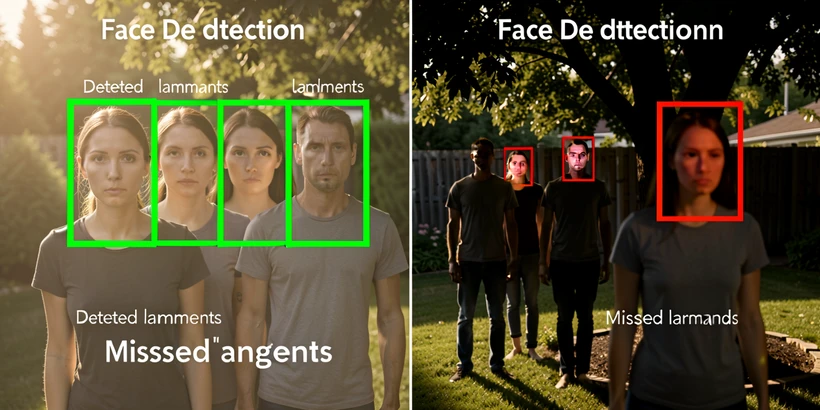
A solo portrait gives the AI one face, one lighting profile, and one clear angle. A group of six gives it six of each, often in conflict. Facial landmark detection has to find every face simultaneously, and a face that is half the pixel height of the front-row faces frequently gets skipped or aligned to the wrong landmarks.
Partial occlusion is the second failure mode. If a cousin's chin sits in front of an aunt's cheek, the model may merge them into one detected face or drop the aunt entirely. Mixed lighting is the third: an outdoor patio shot with one person in shade and three in direct sun produces noticeably different skin tones after the swap, and the seams show.
The result is that many tools advertised as supporting multiple faces only work reliably on single portraits in practice. Fotor's desktop version, for instance, does not support group photos at all, even though the browser version does. Treat any "multi-face" claim with suspicion until you see a published face-count cap.
How we ranked these apps: the face-count criterion explained
The primary axis is the maximum verified number of faces each tool can swap simultaneously in a single group photo. Tiebreakers, in order: free-tier group-swap quota, watermark policy on the free tier, login requirements, and processing speed.
Tools that lack verified group-photo support are not ranked. That includes GoEnhance, ULTRASWAP.AI, and Pixlr, which appear on generic face swap roundups but fail on multi-face inputs. They show up in the "don't work for groups" section near the end.
Quick comparison: face counts, free tier, and watermarks at a glance
| Tool | Max faces | Free tier | Watermark on free | Login required | Platform |
|---|---|---|---|---|---|
| Live3D Multiple Face Swap | Up to 5 (optimal) | Unlimited | None | No | Web |
| Picsi.Ai Multiple Face Swap | Not published | Free credits | Not specified | Yes | Web |
| Pica AI | 3 (hard cap) | Free | Not specified | Yes | Web |
| Faceswapper.ai | Multiple per photo | 6 daily credits | Not specified | Yes | Web |
| Fotor (browser) | Multiple per photo | 8 total credits | Yes on free | Yes | Web (desktop excluded) |
| Photoleap FaceSwitch | Group support | 7-day Pro trial | Trial-dependent | Yes | iOS/Android only |
| Vidwud | Multiple per photo | Free | Not specified | Yes | Web |
| Akool AI Face Swap | Multiple per photo | 25 images on Basic | Tier-dependent | Yes | Web |
| CyberLink PhotoDirector | Compositing tool | Free with 30-day premium | None | Yes | Desktop |
#1 Live3D Multiple Face Swap: unlimited free group swaps with no login
Live3D is the most permissive entry on this list. It is 100% free, requires no account, leaves no watermark, allows unlimited use, and according to live3d.io photos are never stored. The catch is honest and printed on the tool's own page: it works best with up to five faces per group photo, and quality drops as you push past that number.
For a five-person family reunion shot or a friend group selfie, this is the fastest path from upload to finished image. Push a class photo of twenty through it and you'll see what "quality may reduce" looks like.
- Best for: casual group selfies, family photos, friend groups up to five.
- Skip it when: your group runs above six faces or contains very small back-row faces.
- Privacy: tool states photos are never stored.
#2 Picsi.Ai Multiple Face Swap: built for weddings, parties, and team portraits
Most face swap tools treat group photos as an afterthought. Picsi.Ai treats them as the headline use case. Its product page names wedding and party memories, team and class photos, and social media content as the workflows it is designed for, and the UI is shaped around picking which face goes where rather than around single-portrait fun edits.
Free credits get you started; a subscription unlocks additional credits and advanced features. One caveat: no verified face-count cap is published, so test your specific group size on the free tier before paying.
#3 Pica AI: fast three-person swaps with automatic 24-hour deletion
Pica AI is the rare tool that publishes its limit instead of burying it. Maximum 3 faces in a single photo or video, full stop. Combined with a free tier and a policy of deleting uploaded photos within 24 hours, it is the obvious pick when the group is a trio and privacy matters.
If your photo has five people but only three need a swap, Pica AI works fine because the AI prioritizes the three most prominent faces. You lose the ability to choose precisely which three, so manual selection is something to verify in the UI before relying on it for the whole job.
- Hard cap: 3 faces per photo or video.
- Output formats include GIF and MP4 alongside still images.
- Best for: trio shots, couples plus one, small family photos.
#4 Faceswapper.ai: built-in editor for post-swap touch-ups
Most group swaps need a second pass: lifted shadows here, a skin-tone nudge there. Faceswapper.ai is the only entry on this list that bundles an AI photo editor for that second pass into the same tool. Web-based, capable of swapping numerous faces in one photo, six free daily credits. If your photo regularly needs lighting or skin-tone corrections after the swap, the round-trip you save by not opening a separate editor adds up across a project.
#5 Fotor (browser version): rewards center, credit math you should do first
Fotor's group photo face swap lives in the browser version. The desktop app does not support it, which is the kind of detail that trips up anyone who downloaded Fotor for offline work and assumed group support followed. The browser flow identifies each person in the uploaded photo and lets you assign a different source face to each.
Now the math. The free tier gives you 8 total credits. According to shotkit.com, the first face swap costs 2 credits, and each additional face costs 1 credit. Swapping all four faces in a group of four therefore costs 5 credits, more than half your free allotment in a single submission. A second four-person attempt is impossible without earning more credits through the rewards center (daily login, social sharing, referrals), or paying for Pro at 100 monthly credits or Pro+ at 300.
One independent review on shotkit.com described Fotor's group swap output as unusable. Run a small test on the current version before committing credits to a photo you care about.
#6 Photoleap FaceSwitch: the mobile pick for family portraits
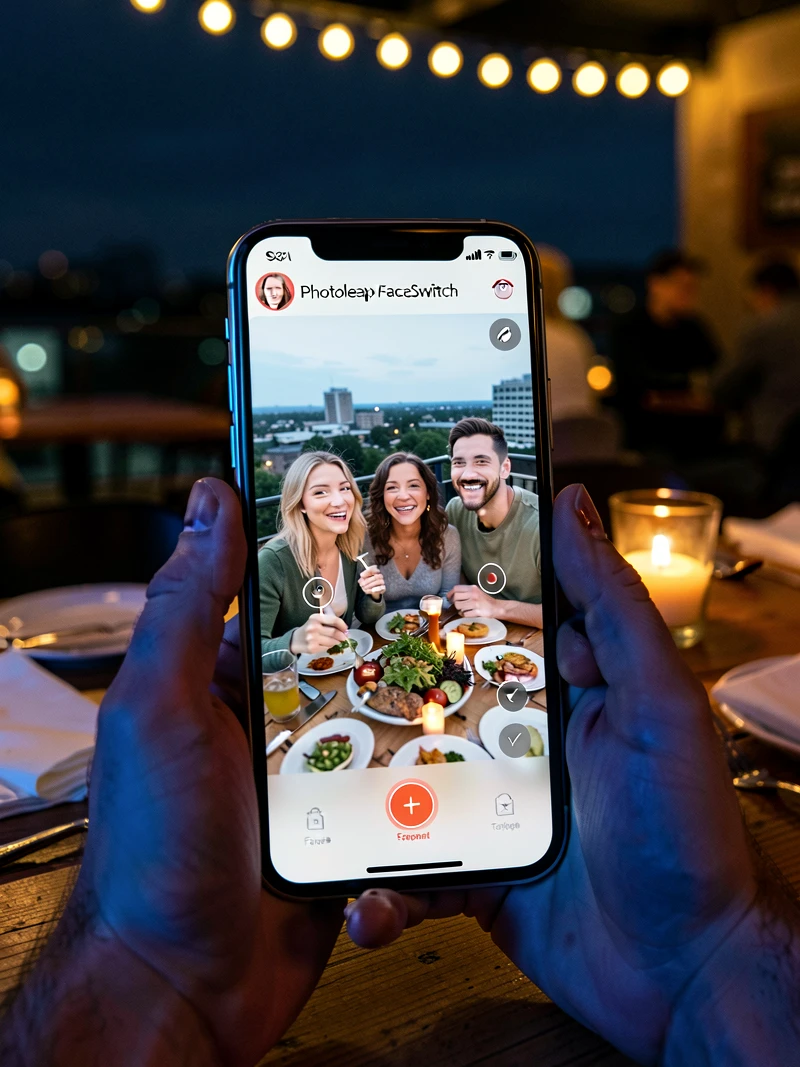
Photoleap FaceSwitch is rated 4.7/5 by 600K users and has crossed 65M+ downloads on its platform pages, and it is built around group photos and family portraits. The trade-off is right there in the name: it is app-only, with no online face swapping. If you edit group photos on a phone, this is the default; if you work on a laptop, it is not available to you.
Pricing per photoleapapp.com: annual plan at 20% off, billed at $47.99 USD per year ($3.99 per month), with a 7-day free trial of Pro. The trial is long enough to test it against your typical group sizes.
#7 Vidwud: skin-tone and lighting controls for mismatched groups
Vidwud is free and offers manual customization options for lighting, facial features, and skin-tone fine-tuning, with outputs in JPG, PNG, and WEBP. That sounds like a small feature until you try to swap faces in a beach photo where two people are in shadow and four are in full sun. Default blending in most tools delivers four convincing faces and two ghosts. Vidwud's sliders are the cheapest fix for that failure mode.
#8 Akool AI Face Swap: 8K output for high-volume projects
Akool is the entry that earns its place when you are working at scale or shipping large prints. Per akool.com, the Basic free tier gives you 25 images or 1.5 minutes of video, with upload size capped at 150MB and 30 seconds. Pro is $30 per month, Pro Max $119 per month, Studio $500 per year, Enterprise custom. Studio and Enterprise unlock 8K output. Pro Max accepts uploads up to 500MB and 10 minutes.
For an event photographer running batches of wedding-party shots, the 8K tier is the differentiator. For a one-off birthday group photo, Basic's 25 images is more than enough.
#9 CyberLink PhotoDirector: composite the perfect group shot from multiple takes
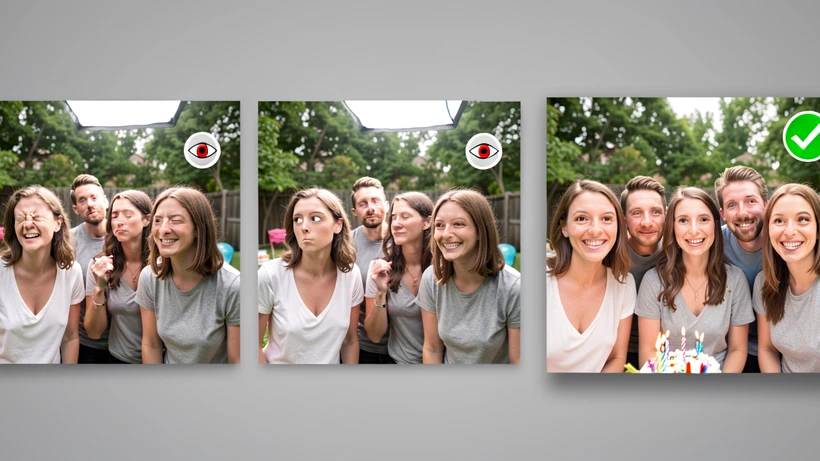
PhotoDirector solves the group photo problem from a different angle. Instead of importing a foreign face, it takes several burst shots of the same group, finds the best smile and the most open-eyed take for each person, and composites them into one image. If your real problem is "someone always blinks," this is the more accurate fix than swapping a face from another photo entirely.
PhotoDirector 2026 Essential is free with 30-day premium features. Worth noting: this is a compositing tool, not a traditional face swap, so it needs multiple frames of the same group taken in sequence, not a single hero shot plus a source face.
Tools that don't work for group photos (and why)
Generic face swap roundups keep recommending tools that quietly do not support groups. Skim past these for multi-face work:
- GoEnhance: confirmed not to support group photos per independent testing on shotkit.com.
- ULTRASWAP.AI: same source confirms no group photo support.
- Pixlr: does not support group photo face swapping.
- Fotor desktop version: group swap is browser-only; the installed app cannot do it.
- InsightFace: requires a Discord account, the interface is unintuitive, and the cost is high for casual group photo work.
Tips for getting the best results from any group face swap tool
- Use a source face photo that is front-facing, well-lit, and at least 512 by 512 pixels. Side profiles cause detection failures across every tool on this list.
- Make sure every face in the group photo is clearly visible. Faces partially behind another person or behind an object are where detection breaks down.
- Expect quality to drop on groups larger than five. Live3D states this directly on its own page, and the same limit applies in practice elsewhere.
- Match the lighting of your source face photo to the group photo as closely as possible. Mismatched direction or color temperature produces visible skin-tone seams.
- If one face in the photo is very small (someone far from the camera), crop the group photo tighter and upscale before uploading. Detection accuracy follows pixel area.
Privacy and safety: what happens to your group photo after you upload it
A group photo is not your data alone. You are uploading other people's biometric data along with your own. That changes the privacy calculation in two directions: which tool you can use ethically, and which tool you can use legally in jurisdictions with strict biometric rules.
- Live3D: photos never stored, per its own page.
- Pica AI: uploaded photos deleted within 24 hours.
- AI Face Swap (aifaceswap.io): image history saved approximately 24 hours, then auto-deleted; no login, no watermarks.
- Reface: per its Google Play listing, may share photo and video data with third parties; data encrypted in transit; deletion can be requested.
- Ethics: get consent from every person in the photo before uploading. Training-use disclosures change, so re-check at the moment you publish a swap publicly.