
> Put Any Face Into Any Video — Instantly_
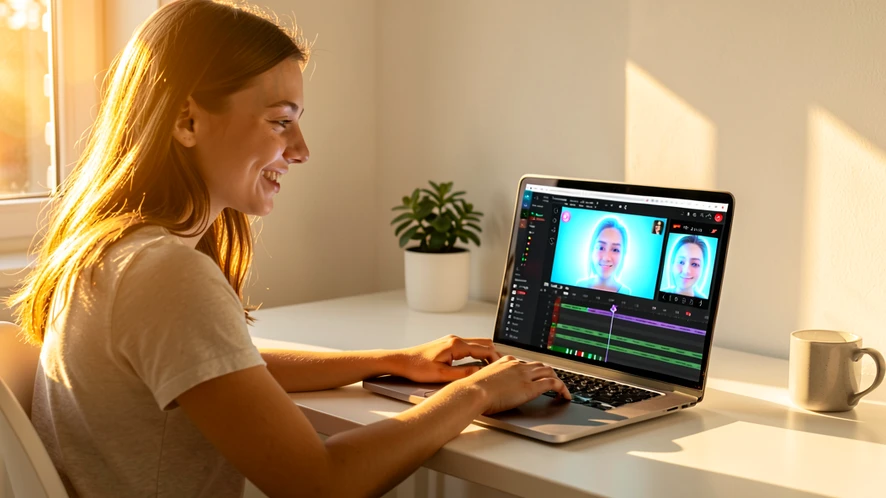
Upload one photo and one video clip, and FaceGenius replaces the face frame-by-frame using AI that tracks motion, preserves skin tone, and matches lighting so the result looks like it was always there. No account, no watermark, no restrictions — just a clean, realistic face swap video ready to download.
Choose a Scene to Swap Into
Pick any target scene below, then upload your face photo. The AI maps your face onto every frame and returns a finished video clip.








Who Uses Face Swap Video — and Why
From birthday pranks to professional content, the tool fits a wide range of real creative needs.
-
case_01
Personalized Birthday Surprises
A friend wants to drop someone's face into a funny movie clip as a birthday gift. They upload one photo, pick the clip, and share the finished video in minutes — no editing skills needed.
-
case_02
Social Media Content Creators
A short-form video creator needs fresh, shareable content fast. Swapping their face into trending video templates produces scroll-stopping clips without expensive production.
-
case_03
Couples and Family Fun
Partners swap each other's faces in a wedding dance video or family holiday clip to create a keepsake that gets laughs at every reunion.
-
case_04
Actors and Audition Reels
An aspiring actor places their face into a scene from a well-known film to demonstrate range and screen presence in a self-tape without hiring a crew.
-
case_05
Marketing and Brand Demos
A small business owner swaps a spokesperson's face into a product demo video to localize content for different markets without reshooting the entire clip.
-
case_06
Gaming and Streaming Avatars
A streamer inserts their real face into a game cinematic or animated intro to build a stronger personal brand across their channel.
-
case_07
Educational and Training Videos
A trainer replaces a generic presenter face with their own in a stock training video, making the content feel custom-produced without re-recording.
What Makes This Face Swap Video Tool Different
- Frame-by-Frame AI Tracking The model follows head movement, rotation, and expression changes across every frame so the swapped face stays locked to the subject even during fast motion.
- No Account Required Start swapping immediately — no email, no password, no subscription wall blocking your first result.
- Watermark-Free Output Downloaded videos contain no overlaid logo or branding, so the result is ready to post or share without extra editing.
- Single-Photo Source Input One clear face photo is all the AI needs. You do not have to supply multiple angles or a video of yourself.
- Skin Tone and Lighting Matching The AI samples the target video's color grading and ambient light to blend the source face naturally rather than pasting it as a flat overlay.
- Multi-Face Video Support Videos containing two or more faces can be processed with selective targeting, so you choose exactly which face in the clip gets replaced.
- HD Quality Preservation Output resolution matches the input video — the swap process does not downscale or compress the clip beyond the original file quality.
- Works on Any Video Clip Movie scenes, selfie clips, stock footage, animated sequences — the handler processes any standard video format without requiring a specific template.
Face Swap Video Results You Can Make
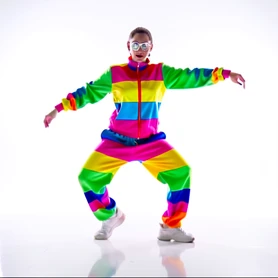
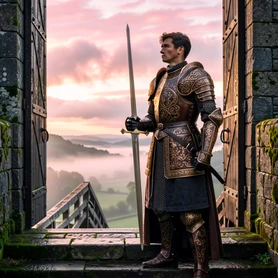


Face Swap Video — Common Questions
No account is needed. Upload your face photo and your target video directly on the tool page and download the result without registering or providing an email address.
One clear, front-facing photo is enough. The AI extracts facial geometry from a single image and applies it across every frame of the video.
No watermark is added to the downloaded file. The video you receive is clean and ready to post or share as-is.
The tool accepts common video formats including MP4 and MOV. For specific file-size or duration limits, check the upload panel — those parameters are set at the system level and may vary.
The AI matches skin tone, tracks head movement frame-by-frame, and adapts to the lighting in the target clip, which produces results that blend naturally rather than looking pasted on. Quality depends on the resolution and lighting of both the source photo and the target video.
Yes. When multiple faces appear in the clip, you can select which face to replace so the other subjects remain untouched.
The underlying AI technique is similar to what powers deepfake research, but the tool is designed for creative, entertainment, and content purposes. Users are responsible for ensuring their output complies with applicable laws and platform policies.
The tool preserves the input resolution during processing. The swap operation does not force a downscale, so HD source footage produces HD output.
This tool is built specifically for video targets. For swapping faces in still images, use the photo face swap tool available elsewhere on FaceGenius.
Processing time depends on the length and resolution of the uploaded video. The tool begins rendering as soon as both files are submitted, and a progress indicator shows the current status.
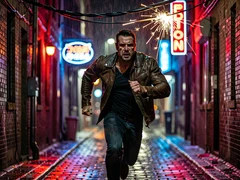
ok so i tried the action movie scene one with a selfie from my balcony and the face landed like 2cm off, looked like a sticker for half the clip
where does the upload go though. it says no account but nothing about storage
lol same i did the dance one and the chin was vibrating
took about 38 sec on my end, not bad
is it really no watermark or is that the bait
ngl i've used like 4 of these. this one is decent on short clips, falls apart past maybe 15 seconds
wait, you can pick which face if there's two people? where is that option, i only see upload and go
fed it a passport photo for laughs. came out fine actually
+1
kinda surprised it didn't ask for an email
no email but the file still sits on their server somewhere. tinkered around in devtools, the upload goes to a separate bucket, no clue if it ever gets wiped
the cooking show one is so random lol
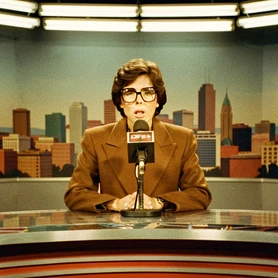
tried the news anchor scene. lighting match was actually solid, skin tone slightly too warm but workable
anyone hit a length cap. mine cut off at like 12 sec, not sure if it's the file or them
OH i found the multi-face thing, it's after the first render not before, weird flow
on phone in the subway, will redo later from desktop
@1223 yeah that's what i was poking at. they don't say a word about retention
meh
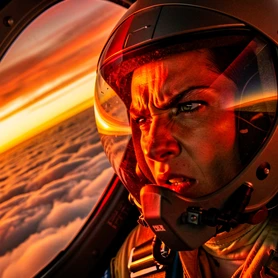
the astronaut one is cursed btw, do not recommend, hair clips through the helmet