
Swap faces in a photo without signing up: a verified seven-tool walkthrough
Open one of seven browser tools, drop in two photos, click swap, download. No account, no email, no card. The seven that actually deliver on that promise are AIFaceSwap.io, DeepImg, Facy.ai, Magic Hour, Supawork AI, Live3D, and AIFaceSwapper.io. Two names you may have seen recommended elsewhere fail the test: EaseMate AI demands a login before it gives you the 30 free credits it advertises, and Higgsfield's no-signup status is unconfirmed while it caps free users at 5 swaps every 24 hours.
Below you get the at-a-glance comparison, the exact step-by-step for the three smoothest options, the privacy retention numbers nobody else lists in one place, and a short legal guardrail so you know when this kind of edit is actually fair game.
Which tools let you face swap photos with zero sign-up
Seven tools confirmed account-free at the time of writing. Two more often show up in roundups but should not: EaseMate AI looks free until you reach the upload screen and meet the registration wall, while Higgsfield's free tier limits you to 5 generations per day with the timer resetting roughly 24 hours after your first swap.
| Tool | Sign-up | Watermark | Daily quota | File size limit | Data deletion |
|---|---|---|---|---|---|
| AIFaceSwap.io | No | None | Unlimited | 20 MB | Within 1 day |
| DeepImg | No | None | Unlimited | 20 MB | Immediate after processing |
| Facy.ai | No | None | Unlimited | 20 MB | After 48 hours |
| Magic Hour | No | None on photos | Practical free use | 20 MB | Per platform policy |
| Supawork AI | No | None | Unlimited | 20 MB | Per platform policy |
| Live3D | No | None | Unlimited | 20 MB | Per platform policy |
| AIFaceSwapper.io | No | None | Free, instant | 20 MB | After 1 hour |
| EaseMate AI | Yes (login required) | Free tier limited | 30 free credits after login | 10 MB | After processing |
| Higgsfield | Status unconfirmed | Free tier varies | 5 per day | Per platform | Per platform policy |
If you only want one recommendation: pick AIFaceSwap.io or DeepImg. Both are unlimited, neither adds a watermark, and DeepImg in particular keeps no history of what you uploaded once the result is generated.
What you need before you start
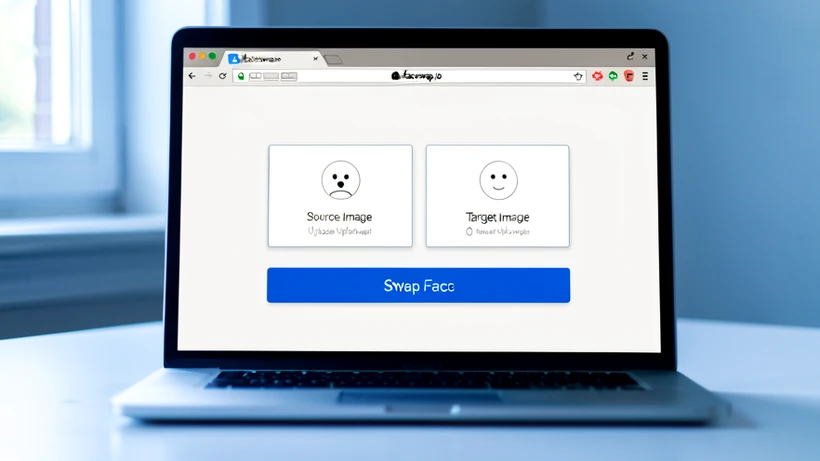
A face swap is only as good as the inputs. Two photos. The first is the source face, meaning the face you want to place onto another image. The second is the target, the photo where that face will land. UI labels are inconsistent across tools (Facy.ai calls them Face image and Target image, AIFaceSwap.io calls them Source Image and Swap Face From), so read the labels before clicking upload.
What makes a workable source face:
- Front-facing, both eyes and the mouth fully visible
- Even lighting, no harsh shadow across half the face
- Only one face in the frame (crop tightly if a second person is present)
- Resolution high enough that the face fills a good portion of the image
- Roughly the same head angle as the target so blending lines up cleanly
Accepted formats are JPG, PNG, and WEBP across every tool listed. Supawork AI also accepts HEIC, useful if you are sending a photo straight from an iPhone without converting it. File size caps at 20 MB on all the no-signup tools; EaseMate AI is the outlier at 10 MB.
Pro tip: passport-style portraits taken in natural daylight produce the cleanest blends. The face is centered, the lighting is flat, and the resolution is usually fine. Selfies in mixed indoor light are the most common reason a first attempt looks off.
How to face swap a photo on AIFaceSwap.io (no account needed)
AIFaceSwap.io is the shortest path. No login prompt, no daily limit, no watermark on the output. According to their own privacy statement, uploaded images are automatically cleared from servers within 1 day, and the company explicitly states that no one else can see the pictures you create.
- Open aifaceswap.io in any browser. The Face Swap Playground loads on the home page and no login modal will appear.
- In the Source Image section, upload the photo where you want the face replaced. Accepted: JPG, PNG, WEBP, up to 20 MB.
- In the Swap Face From section, upload the photo containing the face you want to use. Pick a clear, well-lit, unobstructed shot.
- Click the Swap Face button. Processing finishes in a few seconds; do not close the tab while the progress indicator is moving.
- Download the result. There is no watermark. Save it now: the source files you uploaded are deleted from servers within 1 day.
Works the same in Safari and Chrome on a phone. No app install required.
How to face swap a photo on DeepImg (no sign-in, no watermark)
DeepImg is the choice when retention is your top concern. It stores no history and no personal data; the upload exists only for the moments needed to process it.
- Open deepimg.io/ai-face-swap in your browser. No account screen, no email field.
- Upload the photo with the original face that will be replaced (JPG, PNG, or WEBP).
- Upload the photo containing the new face. Front-facing, sharp focus, no obstruction.
- Click Start Face Swapping. The tool runs in seconds.
- Download the result. No watermark, no history retained, nothing for you to delete afterward.
On an iPhone in Safari this whole sequence takes about a minute end to end, including pulling both photos from the camera roll.
How to face swap a photo on Facy.ai (unlimited, no login, no watermark)
Facy.ai is the broadest in format support: JPG, JPEG, PNG, WEBP, BMP, and GIF. It is also the only one of the seven that requires you to actively tick a consent box before processing. Worth knowing what you are agreeing to before you click.
- Go to facy.ai/photo-face-swap. The interface loads immediately, no account needed.
- Upload the face image: the photo containing the face you want to use.
- Upload the target image: the photo where that face will be placed.
- Read and tick the Terms of Service consent checkbox. You are confirming you have the legal right and explicit permission from everyone depicted.
- Click Swap Faces and download the result.
Facy.ai's consent text is unusually direct. It quotes the actual legal exposure for misuse: damages or compensation, fines, removal of the offending content, restriction of liberty, or imprisonment. The platform is rated 4.6 out of 5 from 3,537 user ratings. Outputs carry no watermark, swaps are unlimited, and uploaded images are automatically deleted after 48 hours.
Other no-signup tools worth knowing
If the top three are slow, busy, or rendering oddly, four more options work without an account.
- Magic Hour: no sign-up, no watermark on photos, processing usually finishes in under a minute. The platform reports 100M+ AI images generated and 500K+ creators active in the last 30 days, so capacity is not a concern.
- Supawork AI: no sign-up, unlimited swaps, HD output in roughly 10 seconds. Accepts JPG, PNG, WEBP, and HEIC up to 20 MB. The HEIC support is the differentiator for iPhone users.
- Live3D: no sign-up, unlimited free photo swaps, photos process in 3 to 5 seconds. Accepts JPG, PNG, WEBP up to 20 MB.
- AIFaceSwapper.io: no sign-up, completely free, results delivered instantly. One catch: history records are deleted after one hour, so download promptly or you lose the result.
If your first swap looks slightly off, try reversing which photo is the source and which is the target. Some tools interpret the roles differently, and the result can change visibly with no other input changes.
Privacy: how long does each tool keep your uploaded face photo
Retention windows vary from immediate to two days. If privacy is the reason you skipped registration, this is the table that should drive your tool choice.
- DeepImg: no history, no personal data stored. Uploads are purged once processing finishes.
- AIFaceSwapper.io: records deleted after one hour. Save your output before then.
- AIFaceSwap.io: images automatically cleared within 1 day. The site states no one else can see what you created.
- Facy.ai: images automatically deleted after 48 hours.
- EaseMate AI: files deleted from server after processing (note: requires login to access at all).
- Pixlr: per their own statement, your creative output is yours to own and your content remains private and secure.
Practical rule: if you are uploading a photo of yourself or someone close to you, pick the shortest retention window you can live with. DeepImg sits at one extreme (immediate), Facy.ai at the other (48 hours). For one-off casual edits the difference is academic. For a face you would not want sitting on a third-party server overnight, it matters.
Common mistakes that ruin a face swap, and how to fix them
Most failed swaps fail for one of five reasons. Each maps to a specific stage of the AI pipeline.
Face partially covered or obscured
Hair across one eye, a hand near the chin, sunglasses, a face mask. The first thing the model does is detect facial landmarks: the corners of the eyes, the tip of the nose, the corners of the mouth. Hide any of these and the landmark detector either fails outright or anchors to the wrong points, which is why the swapped face ends up rotated, stretched, or pasted off-center. Fix: use a clear, unobstructed, fully front-facing photo.
Low-resolution or blurry source face
When the source face has too few pixels to begin with, the model has nothing to upscale from. The blending step then averages whatever low-detail features exist with the target face's geometry, and the visible result is a smeared, plastic-looking middle ground. Fix: use the highest-resolution photo you have, even if you have to dig back through a year of camera roll for it.
Mismatched lighting between source and target
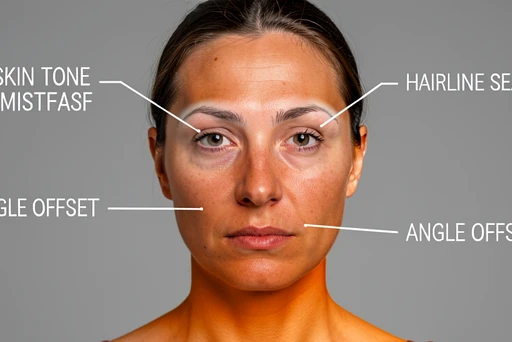
A daylight source face onto a dim indoor target produces a head that looks pasted onto a body. Skin tone reads warmer than the neck. Shadow direction conflicts with the rest of the scene. The blending stage cannot fully recover from this; it only adjusts within a limited tonal range. Fix: pick photos shot under similar light direction and intensity.
Multiple faces in the source photo
If two people are in the source frame, the tool may pick the wrong one. Crop the source down to a single face before uploading.
Very different face shapes
A long, narrow face placed onto a wide, round one is a geometric mismatch the blender cannot hide. Edges of the swapped region show distortion. Pick faces with reasonably similar proportions if you want a clean output.
Legal and consent basics: when face swapping someone else's photo is acceptable
Short version: get consent. Facy.ai's mandatory checkbox is the right standard to apply regardless of which tool you actually use, because it captures the rules every jurisdiction shares in some form.
- Always get consent from the person whose face you are swapping in or out.
- Never create or share non-consensual intimate imagery. This is illegal in many jurisdictions and the penalties scale fast.
- Do not use face swap outputs to impersonate, defraud, or harass anyone.
- Do not upload private, sensitive, or copyrighted material without authorization.
- Treat free-tier outputs as personal use only. Higgsfield, for example, explicitly restricts commercial use rights to paid Pro plans, which means a swap made on the free tier cannot legally be used in marketing or advertising.
Facy.ai's own warning is worth quoting because it spells out the consequences plainly: violation of the law, including infringements of others' personal rights such as publishing generated images of a person in intimate situations, may result in damages, compensation, fines, removal of the offending content, restriction of liberty, or imprisonment. That is not legal theater. It is the actual exposure profile.
If you are running through these tools for fun on photos of yourself or with the active permission of friends, none of this is a problem. The risk profile shifts the moment a real person who has not agreed shows up in the input.
the facy.ai consent text actually quotes 'restriction of liberty'. that's not generic boilerplate, someone on their legal team meant it specifically.
sounds like a press release tbh. if it was that serious they'd block the upload outright, not make you tick a box and move on.
@BLACKPINK the box is the audit trail, not the prevention. that's the whole point of it.