
Real-Time Face Swap: What Works, What It Costs, and Which Tool Fits Your Setup
Yes. You can face swap in real time right now, on a phone, a browser tab, or a local PC. The right tool depends on three things: the device you already own, whether you accept cloud processing, and the use case (Zoom call, Twitch stream, VTubing, or casual mobile).
Browser tools like Livesync, Akool, and SwapStream need no install. Real Deep covers iOS with full on-device processing. Amigo AI is the most-downloaded Android option. For local PCs, Deep-Live-Cam is the actively maintained open-source choice, while DeepFaceLive sits archived since November 13, 2024.
Yes, Real-Time Face Swap Is Possible. Here Is What That Actually Means
Live face swap uses your device camera to replace one face with another as the camera runs. Facial recognition algorithms detect the target face on every frame, then blend a chosen face on top of it. There is no upload-and-wait step. The swap happens frame by frame while you talk, blink, and move.
This is the part that surprises people: the output reacts to your head turns and mouth movements with little perceptible delay on a capable device. Akool, the developer behind one of the popular browser tools, explicitly notes that its live tool currently works best with one face at a time. That single-face limit applies to almost every tool covered below, so set the expectation early.
Quality is not infinite. Lighting, camera angle, and resolution drive how convincing the swap looks. A flat, well-lit front-on shot beats a dim profile shot every time.
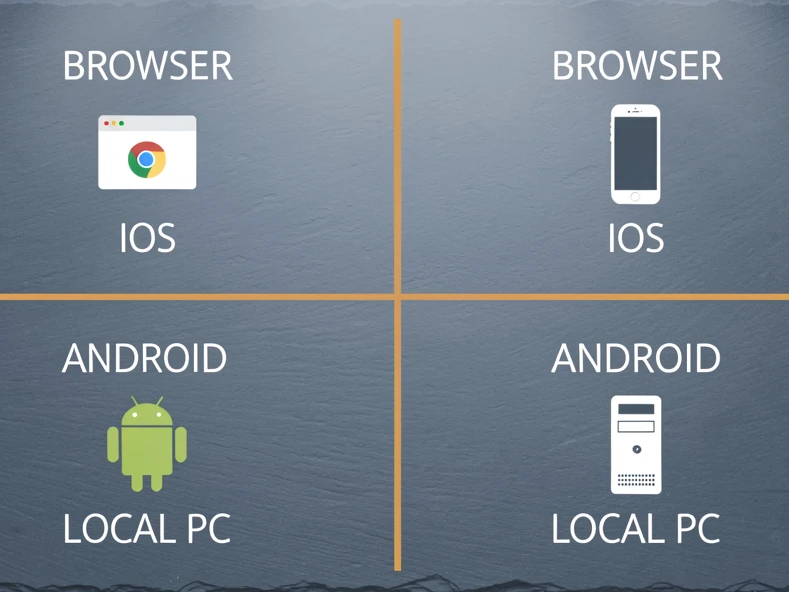
Four Ways to Do Real-Time Face Swap: Browser, iOS, Android, Local PC
Before drilling into specific tools, sort the landscape by deployment path. Each path has a different setup effort and a different privacy model.
- Browser (no download): Livesync, Akool, SwapStream. Zero install, runs on any device, cloud-powered (Akool processes locally inside the browser).
- iOS app: Real Deep. Full on-device AI, no data leaves the iPhone, $8.99 to unlock unlimited realtime.
- Android app: Amigo AI. 100,000+ downloads, but it collects photos, videos, and app activity and may share device IDs with third parties.
- Local PC, open-source: Deep-Live-Cam (84,000 GitHub stars, actively maintained) and DeepFaceLive (archived November 13, 2024, read-only but still functional).
Pick the path first. The specific tool follows from there.
Browser-Based Real-Time Face Swap: No Download, Any Device
Browser tools win on accessibility. Open a tab, give camera permission, and you are running. No GPU drivers, no Python, no system requirements other than a modern browser.
Livesync
Livesync is cloud-based and works on computers, phones, and iPads. It integrates with OBS, Zoom, and YouTube, which is why it shows up in remote-meeting and streaming setups so often. The site claims it is trusted by 25,000+ creators and that data transmission uses industry-standard encryption.
Akool
Akool is the odd one in this group. It runs in the browser but, per its own page, processes facial data locally on your device and does not store or transmit images to external servers. That is a meaningful privacy claim for a browser product. Verify it against Akool's current policy at the time you use it, since browser-side processing depends on the specific build.
SwapStream
SwapStream targets streamers directly. It supports multistreaming to multiple channels at once and accepts custom RTMP endpoints. If your job is broadcasting a swapped face to Twitch, YouTube Live, and Kick simultaneously, this is the one built for that workflow.
Who should use browser tools? Anyone without a powerful GPU. Anyone on a Chromebook, an iPad, or a work laptop they cannot install software on. Anyone who needs the swap working in five minutes, not five hours.
Real-Time Face Swap on iPhone: Real Deep and the On-Device Model
Real Deep is the cleanest iOS answer. Its App Store listing says it plainly: "Real Deep proudly does not send any data off your device. With Real Deep, all data stays on your iPhone, iPad, and Mac. No ads. No tracking. No data collection."
When you run the app for the first time, a one-time request is sent to Apple's servers to provision the app. Afterwards, Real Deep fully functions in airplane mode because it does not send your media to any servers for processing.
That airplane-mode line is the practical proof. It is also why Real Deep is the go-to recommendation for journalists, lawyers, and anyone whose face cannot end up on a third-party server.
Hardware and pricing
- Minimum device: iPhone XR. Recommended: iPhone 12 or newer.
- 4K video face swap needs at least 6GB device memory.
- Free tier: 3-second face swap movies.
- Unlock Unlimited Realtime: $8.99. Change faces on saved videos: $19.99.
- App Store rating: 2.8 out of 5 from 8 ratings (a small review base, so weigh it lightly).
The 3-second free clip is the catch. You will hit it almost instantly, so price the unlock in before committing.
Real-Time Face Swap on Android: Amigo AI and Mobile Trade-Offs
Android has fewer verified on-device options than iOS. Amigo AI has 100,000+ downloads on Google Play, which makes it the most visible Android entry. Its Google Play data section is also more honest than most: it shares device IDs with third parties, collects photos, videos, and app activity, and notes that data is encrypted in transit.
Contrast that with Real Deep, whose developer collects no data from the app at all. If on-device privacy is the deciding factor, the Android side is currently the weaker path, and a browser tool with explicit local processing (Akool) may serve you better than an Android-native app.
Real-Time Face Swap on PC: Deep-Live-Cam and DeepFaceLive
Open-source PC tools are where the most powerful, most customizable real-time face swap lives. Two names matter.
Deep-Live-Cam (hacksider)
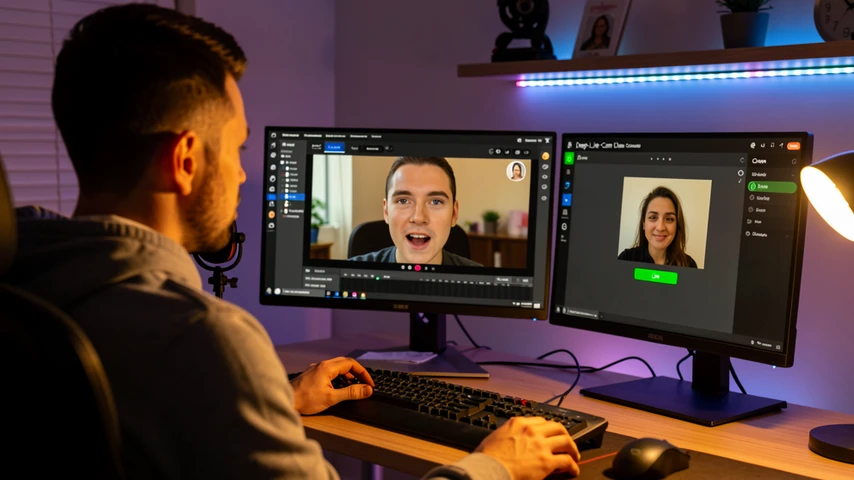
Deep-Live-Cam is the active community standard at 84,000 GitHub stars and 12,300 forks. Its workflow is famously short: select a face, select a camera, press live. Three clicks, swapped face. The Mouth Mask feature retains your own mouth, which keeps lip movement accurate during speech (without it, the swapped face's mouth overrides yours and lip sync collapses).
Manual install is not casual. You need Python 3.11, pip, git, ffmpeg, Visual Studio 2022 Runtimes on Windows, and the model files GFPGANv1.4 and inswapper_128_fp16.onnx. Many community forks bundle these, but the official path is bring-your-own.
DeepFaceLive (iperov)
DeepFaceLive was archived by its owner on November 13, 2024. It still has 30,700 GitHub stars and 1,200 forks, and it still works if you download it, but the repository is now read-only. No bug fixes, no security patches, no compatibility updates. New users should migrate to Deep-Live-Cam.
Hardware-wise, DeepFaceLive sets a hard floor. It needs a DirectX12-compatible GPU (RTX 2070+ or RX 5700 XT+ recommended), a modern CPU with AVX, and 4GB RAM with a 32GB+ paging file on Windows 10. The Face Animator module reaches 25 fps at 35 TFLOPS of GPU compute, roughly RTX 2070 territory. Integrated graphics will not do it.
Who should use local tools? Privacy-conscious technical users who want full customization and refuse cloud transmission. Everyone else is better served by a browser tab.
On-Device vs Cloud Processing: The Privacy Trade-Off Explained Simply
This is the question most readers actually came to answer.
Live Face Swap is designed with user privacy in mind. It processes facial data locally on your device and does not store or transmit your images to external servers. (Akool)
On-device tools (Real Deep, Akool, Deep-Live-Cam) keep facial data on your hardware. Nothing leaves the device. Cloud tools (Livesync, SwapStream) transmit data to remote servers protected by encryption in transit. Amigo AI is the outlier: it explicitly collects user data and shares device IDs with third parties.
The practical implication is a simple choice. On-device is more private but needs capable hardware, an iPhone XR or newer, an RTX 2070+ PC, or a browser that runs Akool's local model. Cloud is easier and faster to set up but your face passes through someone else's servers. Pick the trade-off you can live with.
Which Real-Time Face Swap Tool Is Best for Your Use Case?
Most readers come here for one specific scenario. Find yours.
| Use case | Best tool | Why it fits |
|---|---|---|
| Zoom / Teams video calls | Livesync or Akool | Browser-based, no install, virtual camera output that Zoom and Teams accept as a webcam. |
| Twitch / YouTube live streaming | Livesync (OBS) or SwapStream | Livesync integrates with OBS; SwapStream broadcasts to multiple channels via custom RTMP. |
| VTubing / virtual avatar | xpression camera (Voice2Face) | Animates a static character image from your voice alone. You never face the camera. |
| Casual mobile (iPhone) | Real Deep | Full on-device processing, works in airplane mode, $8.99 unlock for unlimited realtime. |
| Privacy-first local PC | Deep-Live-Cam | Open-source, local processing, 84,000 GitHub stars, three-click workflow. |
A note worth repeating: most of these tools are optimized for one face at a time. A duet stream with two swapped faces is not a standard feature yet.
xpression camera deserves a separate mention. Its Voice2Face mode animates a still illustration from your voice, with no camera needed. That is not technically face swap, but it answers the same job-to-be-done for VTubers who want to appear as a character without showing their own face at all.
Common Reasons Real-Time Face Swap Fails (and How to Fix Them)
Most live face swap failures fall into a small set of mechanical causes. Each has a one-line fix.
- Poor lighting causes misalignment. The detector loses your facial landmarks when shadows split the face. Use even, front-facing light: a desk lamp or ring light, no overhead-only setup.
- Off-angle camera position. Profile shots break the swap. Face the camera directly and keep your head close to neutral.
- Hardware too slow for local tools. A 4-year-old laptop will not run Deep-Live-Cam at usable frame rates. Switch to a browser-based cloud tool (Livesync, Akool) where the GPU lives on someone else's server.
- Free tier limits interrupting workflow. Real Deep caps free clips at 3 seconds, Higgsfield gives 5 face swaps per day, Live3D gives 3 video swaps per day. Upgrade if you need session-length continuity.
- One face at a time. Most platforms (Akool included) only handle a single face. Plan the shot for one person on camera at a time.
- Animals, masks, or objects. Akool notes the tool is designed for human faces and may not work correctly on animals or objects. Stay with human subjects.
Legal and Ethical Rules You Need to Know Before Going Live
The rules are short and the consequences are not. Treat the following as the baseline, not the ceiling.
First, consent. Deep-Live-Cam's ethical use policy puts it bluntly: "If using a real person's face, obtain their consent and clearly label any output as a deepfake when sharing online." That covers two obligations in one sentence, the consent itself and the labeling of the output.
Second, content limits. Deep-Live-Cam includes built-in checks to prevent processing nudity, graphic content, or sensitive material. Its developers also state they may add watermarks or shut down the project if legally required, a fair signal of where this category is heading regulatorily.
Third, commercial use. Higgsfield, for example, permits commercial use of generated content for marketing or business purposes only on paid Pro plans. Free-tier output is not licensed for commercial deployment on every platform, so read each tool's terms before publishing.
Finally, jurisdiction. No tool's policy covers every country's rules. The user remains responsible for compliance with local laws around deepfakes, defamation, election content, and likeness rights. None of these tools shifts that liability away from you.