
Free talking avatar generators, ranked by what 'free' actually buys you
If you searched for a free talking avatar generator, here is the short answer: HeyGen and Synthesia give you the most real output without paying, Lipsync.video and BigMotion meter you by the second, and several tools labelled free are trials in disguise. The catch is rarely the price tag. It is the watermark, the consent recording, or the credit math hiding behind the word free. This list ranks tools by how much talking-head video you can actually make from a photo or script before a paywall, a login wall, or a credit counter stops you.
What 'free' really means for talking avatar generators
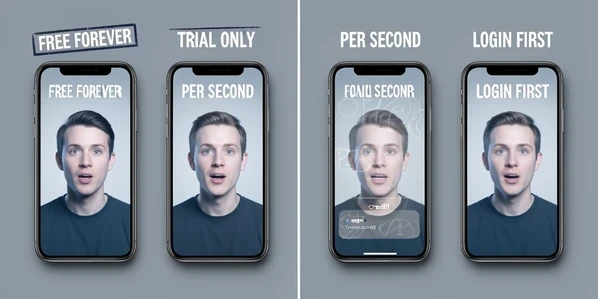
Free splits into four very different things, and the gap between them decides your whole experience. Knowing which bucket a tool sits in tells you more than any realism score ever will.
- Free-forever: a permanent tier you can return to, like HeyGen's free plan or Synthesia's free tier.
- Free trial only: time-limited access that expires, which is exactly what Pictory offers despite the free-looking label.
- Credit-metered: you pay per second of video, so Lipsync.video's Talking Photo 4.0 burns 4 credits for every second.
- Free-with-login: nothing generates until you hand over an email and create an account first.
Then come the costs that disguise themselves as free. A watermark stamped across your export. A credit-per-second cap that quietly limits a clip to 40 seconds. A mandatory consent recording before any face clone runs. A desktop GPU requirement that rules out anyone on a Chromebook. Every one of those answers the same dominant search: free, free unlimited, or without login. None of them shows up on a pricing page in plain sight.
How we ranked: free-tier generosity first
The ordering follows one axis above all others: how much usable talking-avatar output you get before any paywall. Minutes, credits, videos, whatever the tool counts in, the question is how far the free allowance carries a real project. Ties break on no-login browser access first, then watermark status, then how many languages the free tier supports.
Note what is deliberately absent. We do not rank by generic realism, popularity, or which avatar looks the most lifelike in a marketing reel. A photorealistic face you can only export with a watermark loses to a slightly plainer one you can actually publish. That single rule reshuffles almost every roundup you have read.
The ranked list: best free (and almost-free) talking avatar generators
HeyGen: the most genuine free plan
HeyGen tops the list because its free plan is real, not a countdown. You can build a custom avatar from your own photo or video, and the platform supports 175+ languages and 300+ AI voices, with paid tiers starting at $29 per month (per vidyard.com). For a camera-shy creator who wants a talking head that speaks in their own likeness without a credit meter ticking, this is the cleanest free starting point on the market.
Synthesia: the most polished stock-avatar tier
Synthesia offers 240+ ready-made talking avatars plus personal avatars from a single photo, and it keeps a free tier alongside paid plans from roughly $18 to $22 per user each month (per synthesia.io). It is rated 4.7 across 2,000+ G2 reviews, and it states SOC 2 and GDPR compliance with independently audited data handling. The trade-off sits in the setup. Before any personal or studio avatar renders, you select a voice and record a live consent statement on camera, and the studio option needs a dedicated session.
D-ID: free tier plus real-time conversation
D-ID earns its spot on a feature no free-first competitor matches: real-time conversational avatars with sub-second response and 100+ languages, on top of a free tier or trial (per d-id.com). Paid plans start around $49 per month. The ceiling is resolution. Full-resolution output and API scale live behind the higher tiers, so the free experience is best treated as a proof of concept rather than a finished export pipeline.
Lipsync.video: free generator, metered model
Lipsync.video advertises a free generator and stocks 300+ AI voices for multilingual narration, accepting audio uploads or recordings up to 90 seconds (per lipsync.video). But its best model is the catch. Talking Photo 4.0, the recommended one, costs 4 credits per second and caps a clip at 40 seconds; the older 3.0 runs 3 credits per second up to 90 seconds. We unpack what that actually buys in the credit-trap section below, because the per-second math is the real story here.
Akool: free 4K, with a rights catch
Akool advertises free creation and 4K download, generates 10 versions in 10 languages in minutes, and speaks 150+ languages (per akool.com). On privacy it is reassuring: photos and avatars are encrypted and stored securely, and personal data is not shared without explicit consent. The fine print lands on usage rights, not price. Commercial use requires that you own the rights to the source images, so a stock face or someone else's portrait is off-limits for paid work.
Invideo AI Avatar: fast express clone
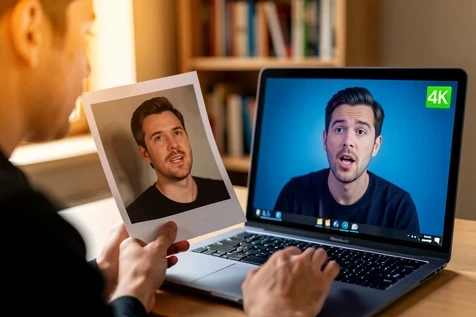
Invideo is free to start and its express clone is genuinely quick: feed it a 60-second webcam clip or a YouTube link and you get a working avatar in under five minutes, speaking 50+ languages (per invideo.io). Two limits temper that speed. Pro, studio-quality avatars need recordings of 30 minutes or more, and like Synthesia, Invideo makes you record on-screen consent giving permission to create your AI twin before it generates anything.
TalkingAvatar.ai: the desktop route
This one is unusual: a downloadable Windows app rather than a browser tab. TalkingAvatar.ai offers one-sentence voice cloning and one-click multi-speaker lip-sync, and it can even put a face to NotebookLM podcast audio, with free credits handed out through its official Discord (per talkingavatar.ai). The barrier is hardware. You need Windows 10 Anniversary Update or newer and an NVIDIA or Radeon GPU, which rules out low-spec laptops but rewards anyone who wants generation to happen locally.
BigMotion: built for bulk, not for free
BigMotion sits low here for a simple reason: there is no stated free tier. Its credit-based plans run Basic $19, Pro $39, Ultimate $69, and Creator $89 per month, and the pitch is volume, with 100 videos claimed ready in 15 minutes from a pasted script (per bigmotion.ai). It is aimed squarely at faceless-channel operators, and custom avatars require contacting the team. If your goal is one free talking head, look elsewhere.
Pictory: free in name, trial in practice
Pictory rounds out the list as the clearest case of a free label that is really a trial. Its scene-level avatar control with automatic lip-sync on export is capable, and it plugs into Make and Zapier, but the free access to the talking avatar is a trial only, not a permanent free tier (per pictory.ai). Useful for a one-off test, not for ongoing free output.
The credit-per-second trap, decoded
Credit pricing sounds generous until you convert it into seconds of finished video. That is where free quietly becomes tiny. Take Lipsync.video as the worked example, since its numbers are public.
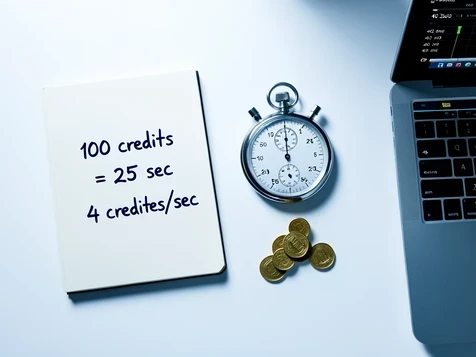
Talking Photo 4.0 costs 4 credits per second. Suppose a free balance hands you 100 credits. That is 25 seconds of video, and since the model caps any single clip at 40 seconds anyway, you cannot stretch it into anything substantial. Drop to the 3.0 model at 3 credits per second and the same 100 credits buys about 33 seconds, up to that model's 90-second ceiling. A short product intro can vanish your entire free allowance in one take.
Scale tells the same story from the other direction. BigMotion's Ultimate plan runs $69 a month for roughly 8,280 credits. At a 4-credits-per-second rate, that is around 34 minutes of footage, which is why its whole model targets bulk faceless channels rather than the occasional free clip. Credits reward volume buyers and punish anyone hoping to test for free.
No-login and offline options
Plenty of readers want to generate something before handing over an email, or to keep their photo off a stranger's servers entirely. Two routes serve that intent.
The in-browser route comes first. Tools that let you start generating a talking head from a photo in the browser, before committing to an account, suit anyone testing the waters quickly. The offline route is the stronger privacy play. TalkingAvatar.ai runs locally on Windows with a GPU, and some desktop tools generate 3D avatars on your own machine without sending images outside your computer at all (per d-id.com).
The trade-off is plain: cloud tools are faster to start and need no hardware, but every upload leaves your machine. Local generation keeps the photo and voice on your own drive, at the cost of a capable GPU and an install.
Privacy, consent, and commercial-use fine print
Two questions decide whether a free tool is safe to use: what happens to the face and voice you upload, and what you are allowed to do with the result. The answers vary more than the marketing suggests.
On consent, both Synthesia and Invideo require a recorded statement before they will clone a face, a deliberate guardrail against cloning someone without permission. On data, Akool encrypts photos and avatars and will not share personal data without explicit consent, yet still requires you to own the rights to any source image used commercially. Synthesia states SOC 2 and GDPR compliance with audited handling, while ElevenLabs, which lets you pick from video models like Veo 3.1, Kling 3 Pro, and Seedance 2.0 and export MP4 up to 4K, defers its data handling to its Privacy Policy rather than naming a certification.
Which free talking avatar tool should you pick?
Match the tool to the goal rather than chasing the loudest free badge.
- Quick talking-head from a photo, truly free: HeyGen, whose free plan builds a custom avatar from your own image without a credit meter.
- Fastest start: Invideo's express clone turns a 60-second clip into an avatar in under five minutes.
- Multilingual free output: HeyGen again for its 175+ languages, with Akool a strong second at 150+ if you own your source image.
- Privacy-first, no cloud: TalkingAvatar.ai, generating locally on a Windows GPU.
And when should you stop chasing free? Accept a trial or credits when output quality or resolution decides the project, a client video, a polished course module, anything that needs full resolution D-ID or a studio-grade Synthesia avatar. For a one-off experiment, free is plenty. For repeatable, publishable work, a few paid seconds often beat a watermarked free clip you cannot actually use.