
Swapping both faces in a couple photo, the right way
A couple face swap means one of two things. Either you replace both faces inside an existing two-person photo, or you take two separate solo portraits and let the AI build a single couple scene from them. The first path suits a vacation shot where both partners already appear together. The second saves long-distance couples who have never posed in the same room. In both cases the AI finds each person's facial landmarks, then blends skin tone, lighting, and expression so the result reads as a real photo rather than a paste-up.
Get the inputs right and the rest is a few clicks. The hard part is unique to two people: two faces, two skin tones, and the risk of landing a face on the wrong partner.
What a couple face swap actually does
The tool detects facial landmarks on each target face: eye corners, nose bridge, jaw line, mouth. It then warps your source face onto that geometry and recolors the edges so the new face inherits the photo's existing light and shadow. Expression gets carried partly from the source, so a smiling portrait keeps its smile. That is why a front-facing, evenly lit source blends cleaner than a moody side profile.
Two goals sit under the same label. Swapping both faces in an existing couple photo keeps the pose, the background, and the body language you already have. Merging two solo portraits invents the shared frame from scratch, placing each partner into a generated scene. Pick the goal first, because it decides which tool you reach for.
Why is the two-person frame harder than a single swap? A solo swap has one face to track and one skin tone to match. A couple shot doubles both, and adds a positioning problem: the AI has to put each partner's face where that partner belongs. Get the mapping wrong and you end up wearing your partner's face.
Before you start: prepare both source faces
Input quality decides almost everything. WaveSpeedAI is blunt about it: feed each swap a clear, front-facing portrait of each partner, and keep the lighting consistent between the two faces. Matching the two source portraits for light and angle before you upload does more for realism than any slider inside the tool.
- One sharp, front-facing portrait per partner, lit the same way in both shots.
- For an existing couple photo, the two faces should sit close together in the frame, which AIPhotocraft notes gives the cleanest blend.
- Skip any pair where one face is much larger or noticeably softer than the other, because the size or focus gap breaks the merge.
- Use natural, lightly edited photos. Heavy filters and thick makeup strip the detail the AI needs.
- Never feed it anime or illustrated portraits. WaveSpeedAI warns that drawn characters drop output quality hard.
Method 1: Swap both faces in an existing couple photo
This is the dedicated couple-with-couple workflow, and AIPhotocraft runs it free with no watermark. Take a real example: a vacation shot of the two of you at a harbor, and you want both faces swapped while keeping the pose and the recognizable look of each partner.
- Upload the target couple image, the one holding the two faces you want replaced.
- Upload your own couple image, or select the target face to swap in, and make sure each partner maps to the correct position so the faces don't land on the wrong person.
- Click Generate Image. The AI analyses both faces, merges them, and matches skin tone and expression.
- Save the result and share it.
The mapping step is where couple swaps go sideways. If both partners appear in the same frame, check which uploaded face the tool has assigned to the left position and which to the right before you generate. A quick mental note of "my face goes on the left, yours on the right" saves a regenerate.

Method 2: Build a couple photo from two separate solo portraits
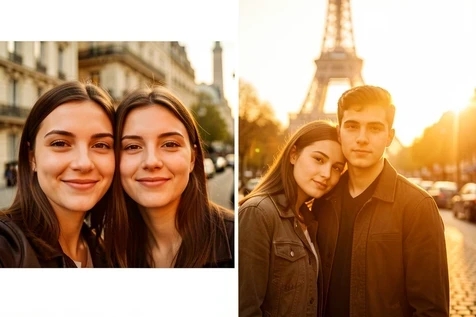
No joint photo? Then you are not swapping faces at all, you are generating a shared scene. CreateVision takes two separate portraits and places both partners into one setting, picking a scene style such as Paris or a sunset. Upload one front-facing portrait of each partner, choose the style, and generate.
This path is not the free unlimited route. CreateVision charges 40 credits per generation, so each attempt costs you. That trade is usually worth it for long-distance partners who simply have no photo of the two of them in the same place. One clean run beats trying to composite the two people by hand.
Method 3: Fast browser and instant tools
Want the shortest path? Three browser tools get you a swap in seconds, each with its own free-tier reality.
Pixlr's AI Face Swap runs entirely in the browser with no editing skills. Open the tool, upload the source photo with the face you want to use, then upload the target or pick a template and run it. The result downloads as a PNG in a few seconds.
EaseMate lets you start without logging in. Choose the source photo, upload the target with the face to apply, then run the swap filter. It accepts JPG, JPEG, PNG, or WEBP up to 10 MB, and hands you 30 free credits once you log in. Files are deleted from the server after processing.
Higgsfield is the daily-free option. Upload a clear source face, upload the target image, and click Generate. The free plan covers 5 swaps per day, resetting roughly 24 hours after your first swap, and a single generation takes anywhere from 30 seconds to 2 minutes depending on your plan. Because the daily allowance is small, prepare both source portraits before you start so you don't burn a slot on a bad input.
Free vs. credit-gated: what a couple swap really costs
Budget couples have genuinely free, watermark-free choices, but the unlimited ones are narrow. AIPhotocraft runs its couple swap free with no watermark. Higgsfield gives 5 generations a day before it asks you to wait or upgrade, and EaseMate's 30 credits after login go fast. Beyond those, you are into per-image or subscription pricing.
| Tool | Free tier | Paid cost |
|---|---|---|
| AIPhotocraft | Free couple swap, no watermark | Not required for the couple swap |
| Higgsfield | 5 generations per day | Faster speeds on paid plans |
| EaseMate | 30 credits after login | Credit packs beyond the free 30 |
| WaveSpeedAI | None listed | $0.010 per image, about 100 runs for $1 |
| Couple Face Swap app | None listed | $4.99 weekly, $14.99 monthly, $49.99 yearly |
If you plan to run many swaps, WaveSpeedAI's $0.010 per image is the cheapest serious option, since a dollar buys roughly a hundred watermark-free results. The Couple Face Swap app is the priciest framing: a weekly charge of $4.99 quietly outruns a one-time fee if you forget to cancel. Read the renewal terms before you tap subscribe.
Make it look real with two different faces
Two partners rarely share a skin tone, and that is where couple swaps betray themselves. When the AI blends a darker source face into a lighter target position, mismatched edges and hairlines show. The fix is upstream: pick source portraits shot under similar light, because consistent lighting between the two faces is what lets the tool recolor each edge convincingly.
Extreme or contrasting lighting in the original is the other realism killer. A face lit hard from one side lands patchy when merged with a softly lit partner. Even tones in, even tones out.
One partner came out distorted? Do not just hit generate again on the same input. Re-upload a sharper, front-facing photo of that specific person. A warped result almost always traces back to a soft or angled source, not to the tool having a bad day. And if the two faces differ wildly in size or focus, stop forcing the swap and find a better-matched pair instead.
Consent and privacy before you post
A couple swap involves two people's likenesses, so it needs two people's agreement. Make sure both partners are okay with the swap, and double-check that before anything goes public. Sharing a partner's face without their say-so is the one mistake no tool can fix for you. You also need permission to use every image you upload, faces and all.
Worried about where the photo goes after upload? Deletion timelines vary, so pick a tool that states one. Pica-AI uses your photos only for the swap and deletes them within 24 hours of upload. EaseMate removes uploaded files from its server after processing. When you are swapping a partner's face you would rather not leave sitting on someone's server, a stated deletion policy is the feature that matters most.